 HQ Arcade
 Phoneless Player
Stream your own music, audiobooks, and podcasts to your Wear OS watch without a phone.
- Free to use
- No ads
What it does
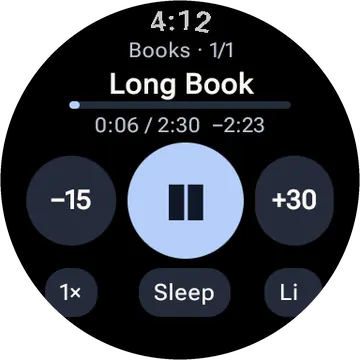
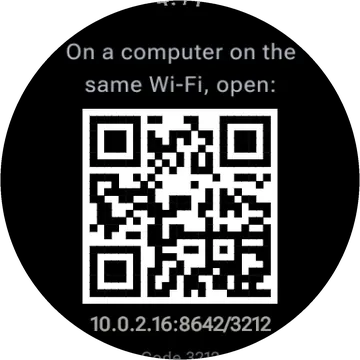
Phoneless Player is a Wear OS watch app that lets you enjoy your own music, audiobooks, and podcasts without needing your phone. To add files, visit the web address, scan the QR code, and enter the 4-digit code from your watch. Files will transfer over Wi-Fi, even if your connection drops, and remember your place if you restart. You can also adjust playback speed, volume, and set a sleep timer.
- The watch shows a web address, a QR code and a 4-digit code. Open it on a computer and pick or drag in files.
- If the Wi-Fi drops mid-file, the transfer picks up where it stopped. A file already on the watch is skipped, and a full watch says so.
- Wi-Fi turns itself off after 10 minutes with nothing sent, to save battery.
- Audiobooks and podcasts remember your place to the second, even after a restart. Skip back 15 seconds or ahead 30, play at 0.8 to 2 times speed, or set a sleep timer.
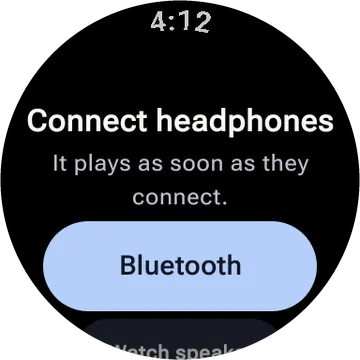
- Turn the crown to change the volume. Plays with the screen off and pauses when headphones disconnect.
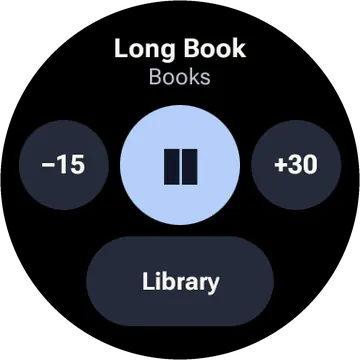
- Play or pause from the tile without opening the app.
- Plays MP3, M4A, M4B, AAC, OGG, Opus, FLAC and WAV.
Questions
- Is Phoneless Player free?
- Yes. It is free, with no ads and no account.
- What do I need to use Phoneless Player?
- A smartwatch running Wear OS.
- Does Phoneless Player collect my data?
- No. The watch apps have no accounts, no ads and no analytics. The privacy policy has the details.
- Is Phoneless Player on Google Play?
- Not yet. It is in testing. This page will link to Google Play once it is public.
Privacy policy for Phoneless Player and the other watch apps