 HQ Arcade
 Duedeck
Study flashcards on your Wear OS watch
- Free to use
- $1.99 one-time unlock
- No ads or subscription
What it does
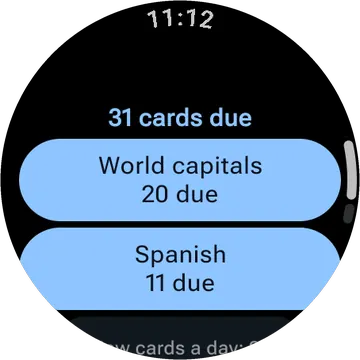
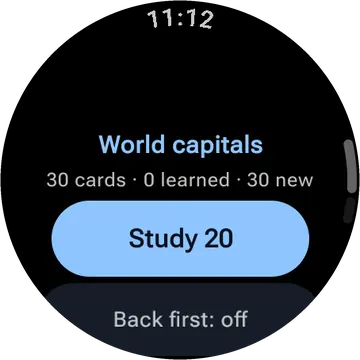
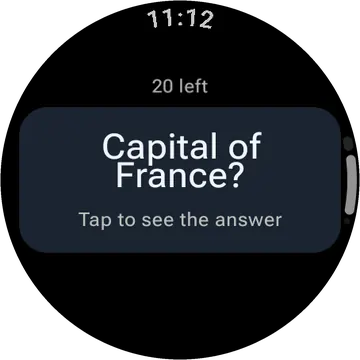
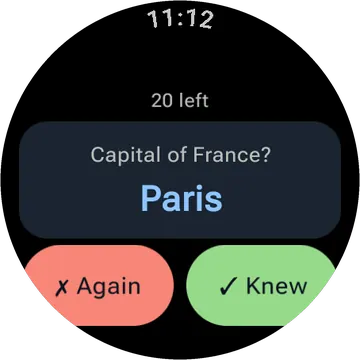
Duedeck lets you study flashcards on your watch, with a sample deck of World capitals to get you started. Create your own cards in a spreadsheet, save as CSV, and send them to your watch. Update your deck easily and track your progress with a daily tile.
- Comes with a sample deck, World capitals, so you can start right away.
- Make your own cards in any spreadsheet: question in column A, answer in column B. Save it as CSV, pick it in the Duedeck phone app and tap Send.
- Send the same file again and the deck updates without losing what you've learned.
- Choose how many new cards join each day.
- A tile shows how many cards are due today, one tap to study.
- Big buttons and text you can read in the sun.
Comes with a companion phone app.
Free and paid
Free: the sample deck and one deck of your own.
One payment of $1.99 adds any number of decks, back-first study and a cards-due slot for your watch face.
No subscription. Bought it before? It comes back on any watch signed in to the same Google account.
Questions
- Is Duedeck free?
- Yes, it is free to use with no ads. Free: the sample deck and one deck of your own. One payment of $1.99 adds any number of decks, back-first study and a cards-due slot for your watch face. There is no subscription.
- What do I need to use Duedeck?
- A smartwatch running Wear OS. It comes with a companion phone app.
- Does Duedeck collect my data?
- No. The watch apps have no accounts, no ads and no analytics. The privacy policy has the details.
- Is Duedeck on Google Play?
- Not yet. It is in testing. This page will link to Google Play once it is public.
Privacy policy for Duedeck and the other watch apps